Every plan includes a 24 hour free trial, and new customers get a free month on their first payment24 hour free trial, then pay 1 month and play 2

Team Fortress 2 game artwork
All gamesConfigure and order

Team Fortress 2 server hosting Your squad. Your Team Fortress 2 server.

Pick your class. Find your team.

24 hour free trial with a card saved in your account, charged only when the trial ends unless you cancel. New here? Pay now by card at checkout, or create an account first.

New customers: 20% off the first payment with LAUNCH20 until 31 December 2026, applied automatically, and pay 1 month, play 2. Offer terms

View on SteamGame purchase is separate from server hosting.
Bring your squad together

Your team. Your next great round.

Round up your friends for colourful battles full of character. Switch classes, combine your strengths, and make the next round a story worth retelling.

  • Nine distinctive classes
  • Team-based matches
  • Payload and control points

Server setups

Choose a setup to explore its configuration.

Team Fortress 2 server hosting

About Team Fortress 2 server hosting

Team Fortress 2 is Valve's class-based shooter in which RED and BLU clash over payload carts, control points and intelligence briefcases, and community servers have long been where its regulars gather. Running your own gives your friends a place they know they will find each other, with maps you choose instead of whatever a public server happens to be playing. With the Vanilla setup for Team Fortress 2 on Steam, the map you select decides the game mode and sets the tone of the night, from payload pushes to capture the flag.

Team Fortress 2 server plans

PlanPlayersMemoryCPUNVMe storagePer monthOrder
PartyUp to 12 players2 GiB100%20 GiB€8.99Configure this plan
ClanUp to 24 players4 GiB200%30 GiB€12.99Configure this plan
GuildUp to 32 players8 GiB300%50 GiB€18.99Configure this plan

Every plan includes unlimited bandwidth, NVMe storage and 24/7 malware detection and protection.

Prices are per month and billed in EUR. Quarterly billing saves 10% and annual billing saves 20%. Need something in between? Build an Anvil plan with your own memory, CPU and storage.

Configure and order

Secure payment by card or Bitcoin

24 hour free trial with a card saved in your account, charged only when the trial ends unless you cancel. New here? Pay now by card at checkout, or create an account first.

Running your own Team Fortress 2 server

Dustbowl, 2Fort or Badwater Basin to start

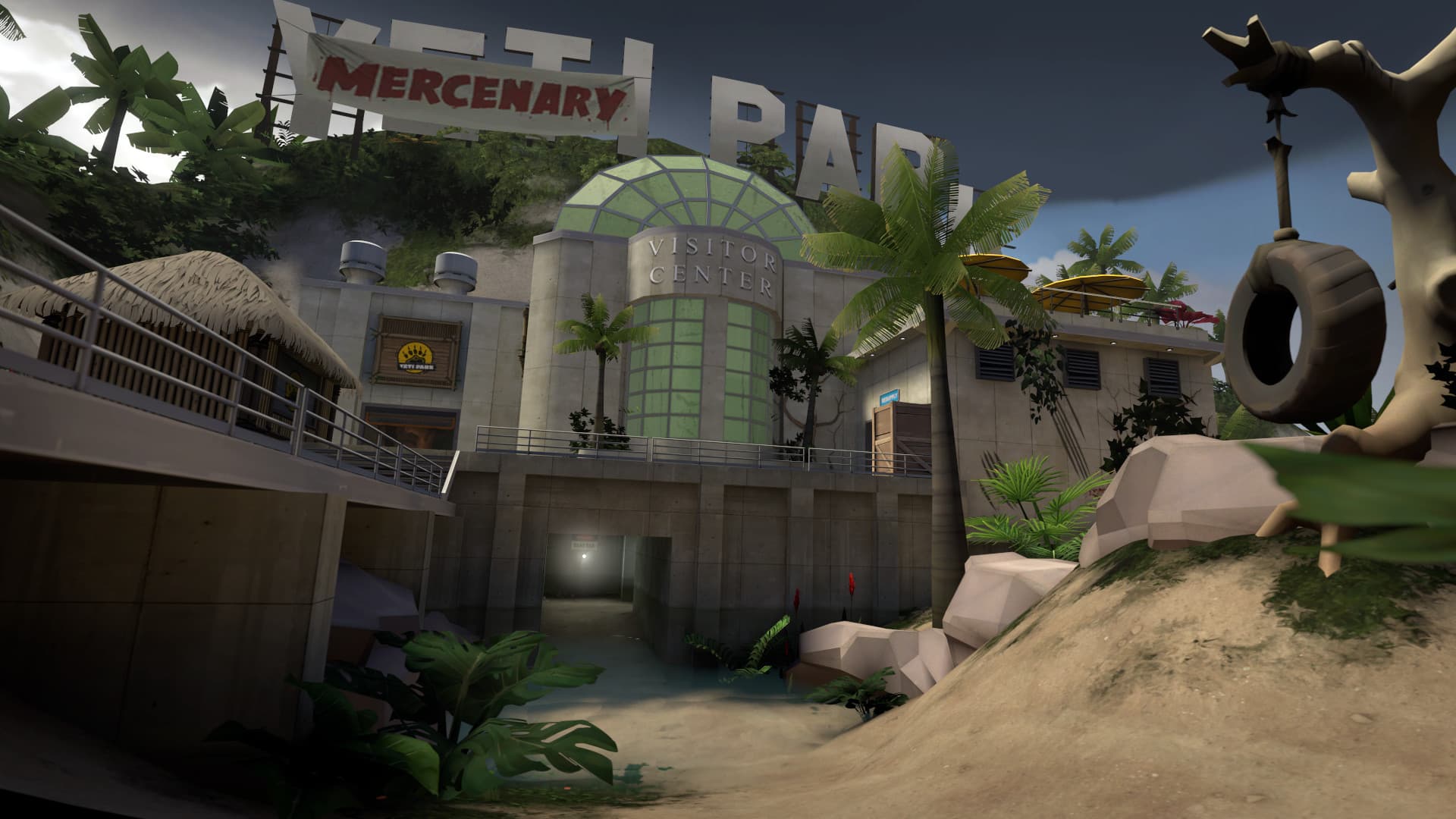
At checkout you pick a server name, a starting map and an optional join password. The map decides the mode. cp_dustbowl is Attack/Defend: one team, usually BLU, captures control points in stages, and each captured point locks so the defenders cannot take it back. ctf_2fort is Capture the Flag between two opposite bases with the same layout: you score by carrying the enemy intelligence to your own capture zone. pl_badwater is Payload: attackers move a bomb cart along its track by standing next to it, while defenders try to stop it.

Server name, join password and the panel console

The server name you choose becomes the hostname, the name players see in the server browser. If you only want your own group on the server, set a join password at checkout. It goes only to checkout and stays out of shared links and configuration downloads. Leave the field empty and anyone who finds the server can join. During a session, the console in the game panel sends commands straight to the server, so you can manage it without joining the game.

Time limits, win limits and your map cycle

Lasting rules go in server.cfg in the server's cfg folder, which you can open under Files in the game panel. mp_timelimit sets the minutes played on each map, mp_winlimit changes the map once a team reaches that score, and mp_maxrounds caps the rounds per map. To rotate maps, list them one per line in mapcycle.txt. Every server gets one automatic backup per day, so you can undo a change. To size the server, compare your group with the plan table on this page, or pick your own resources with Anvil.

Before you order

Team Fortress 2 hosting questions

How much does a Team Fortress 2 server cost?

Plans start at €8.99 a month for Party with 2 GiB RAM, sized for up to 12 players. Clan and Guild add memory, CPU and storage, and Anvil lets you choose your own. Quarterly billing saves 10% and annual billing saves 20%.

How many players can join my Team Fortress 2 server?

Party is sized for up to 12 players, Clan for up to 24 players and Guild for up to 32 players. For a different group size, Anvil lets you choose your own resources.

Do my friends need to buy Team Fortress 2 to join my server?

No. Team Fortress 2 is free to play on Steam, so friends only need Steam and the game on a PC. ClanNode's setup runs Team Fortress 2 for PC on Steam, so everyone joins with the same free game.

How do I connect to a Team Fortress 2 server by IP address?

Enable the developer console under Options, Keyboard, Advanced, then open it with the key above Tab. Type connect followed by the address and port shown in the game panel. If the server has a join password, type password followed by that password first.

How do I turn off random crits on my Team Fortress 2 server?

Add tf_weapon_criticals 0 to server.cfg under Files in the game panel, then restart the server. Valve's default is 1, which keeps random crits on. For even less randomness, tf_use_fixed_weaponspreads 1 gives weapons that fire several pellets a fixed spread.

Where is my Team Fortress 2 server hosted?

In Poland or France, on AMD Ryzen 9 machines with NVMe storage and DDoS protection. You pick the location when you order. You can ask us to move your server to the other location later for €7.99. The United Kingdom and the United States are coming soon.

Are servers checked for malware?

Yes. Automated checks run around the clock on every server we host. They scan server files for known malware and watch for miners, attack tools and other abuse, and a person reviews every finding. It is an extra safety layer, not a guarantee: no scanner finds everything, so install mods and plugins only from sources you trust and keep your own backups.

Can I try Team Fortress 2 hosting for free?

Yes. Every plan starts with a 24 hour free trial, and you pay nothing if you cancel during the trial. Each account and internet connection can start one trial every 48 hours.